Available
Activations
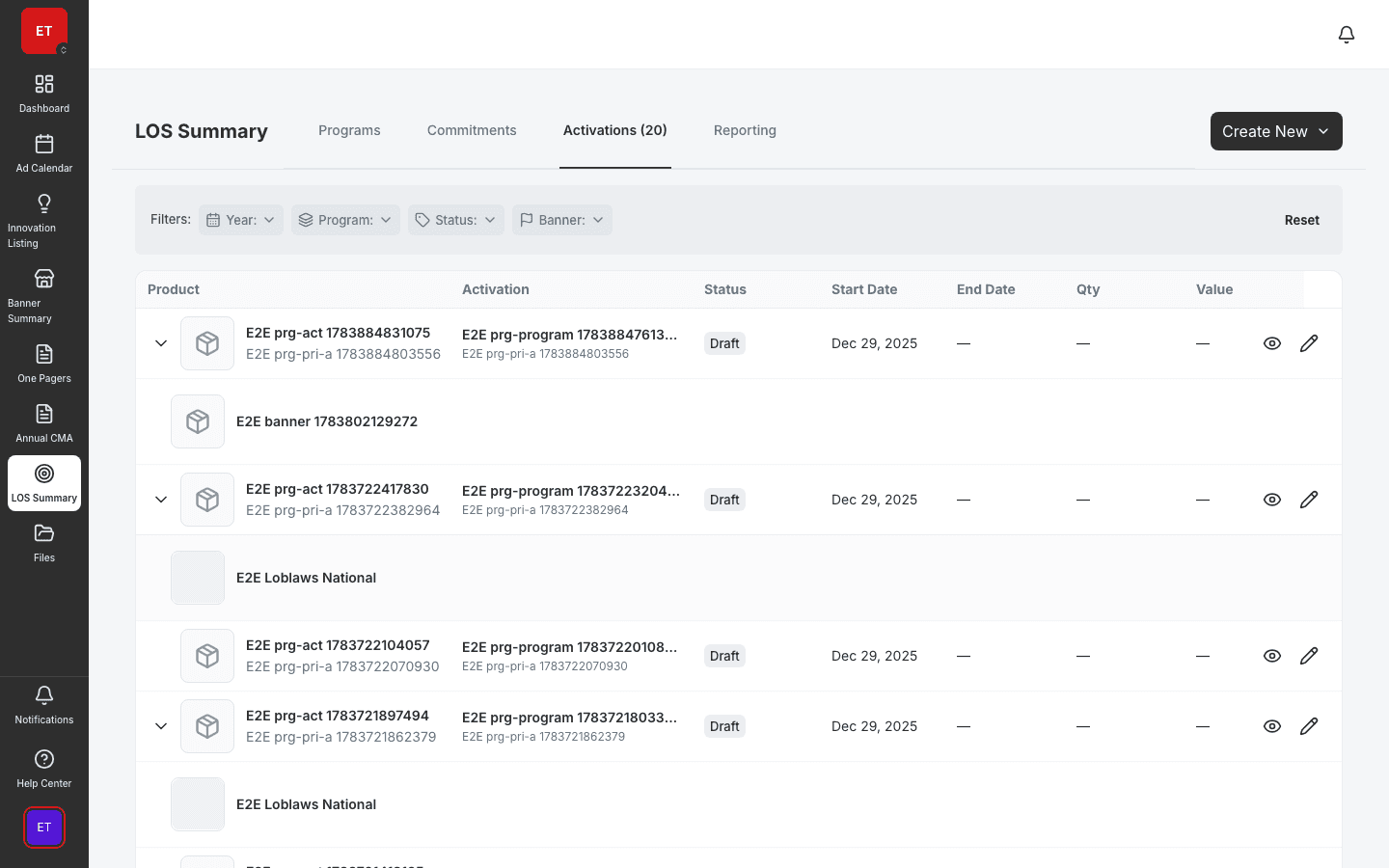
Manage PICOS activations with POS panels and banner coverage.
- Activation detail with POS panel
- Outlet coverage visualization
- Share and duplicate workflows
Manage POS tool assignments, track deployment status, and report on material compliance tied to activations and programs.

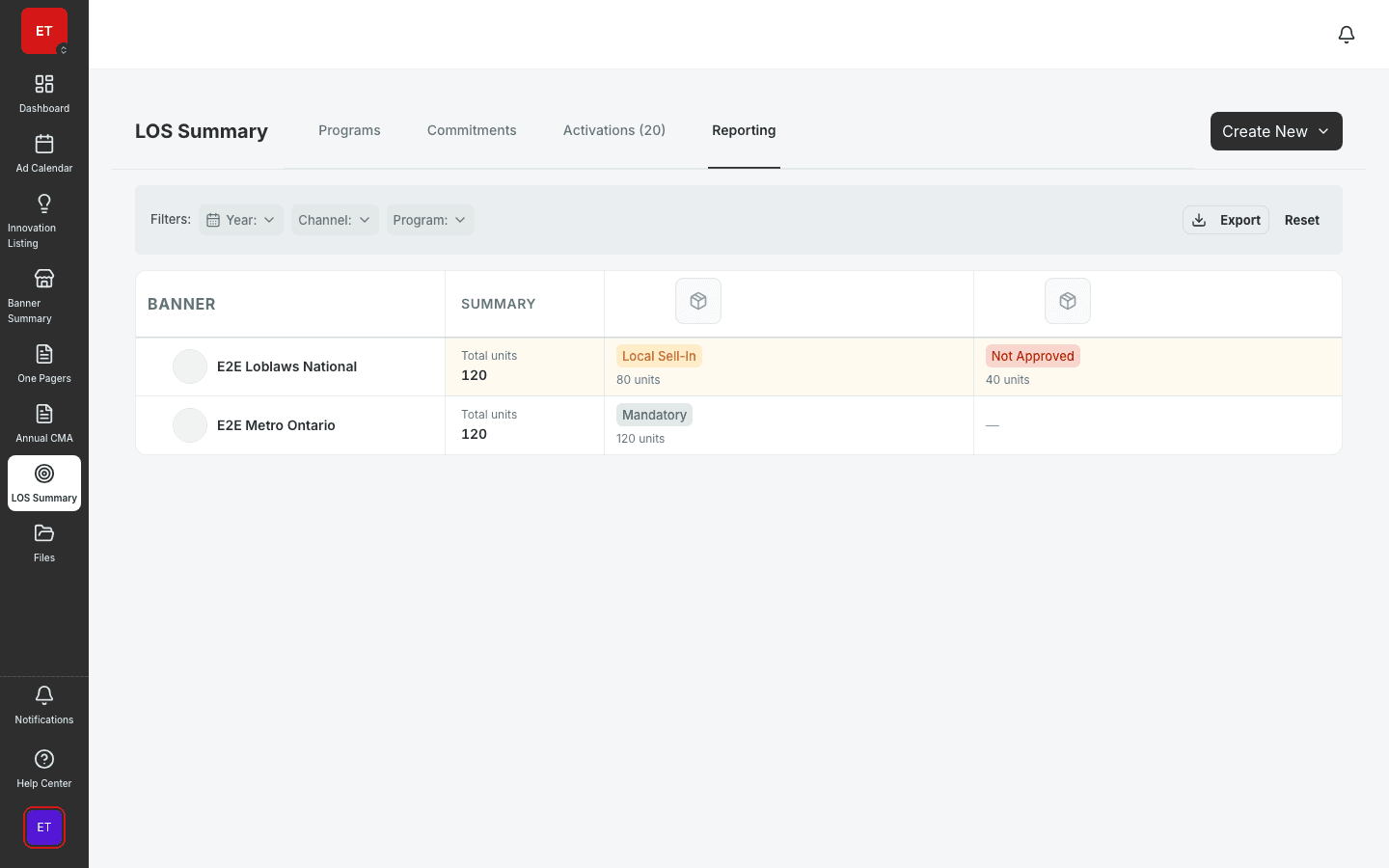
See POS deployment status across every banner × material combination in one matrix.
POS tools assign from activation detail — field teams know exactly what to deploy where.
Compliance data feeds LOS reporting matrices for stakeholder and retailer reviews.
Material catalog
POS Tracking manages the POS tool library, banner assignments, and compliance status tied to activations and programs. Field marketing sees which materials are deployed, pending, or missing — before a compliance audit surprises the team.
Compliance matrix
The compliance matrix crosses banners against POS materials with color-coded status. Filter to lagging banners, drill into activation detail, and assign corrective actions — all without exporting to Excel.
Field execution
Activations inherit POS requirements from LOS programs. Surveys verify in-store placement. GamePlan gives field reps the same material list HQ expects at audit time.
A clear path from setup to outcomes — built into the Judo platform your teams already use.
Define POS tools, materials, and metadata in the catalog.
Link materials to activations with mandatory and optional flags.
Review banner × material compliance and filter to gaps.
Roll compliance into LOS reporting for stakeholder review.
A complete feature set — not a lite module bolted onto legacy TPM software.
Real screenshots from the Judo platform — the same UI your team will use in production.
3 related modules on the same platform — no integrations to wire up.
Manage PICOS activations with POS panels and banner coverage.
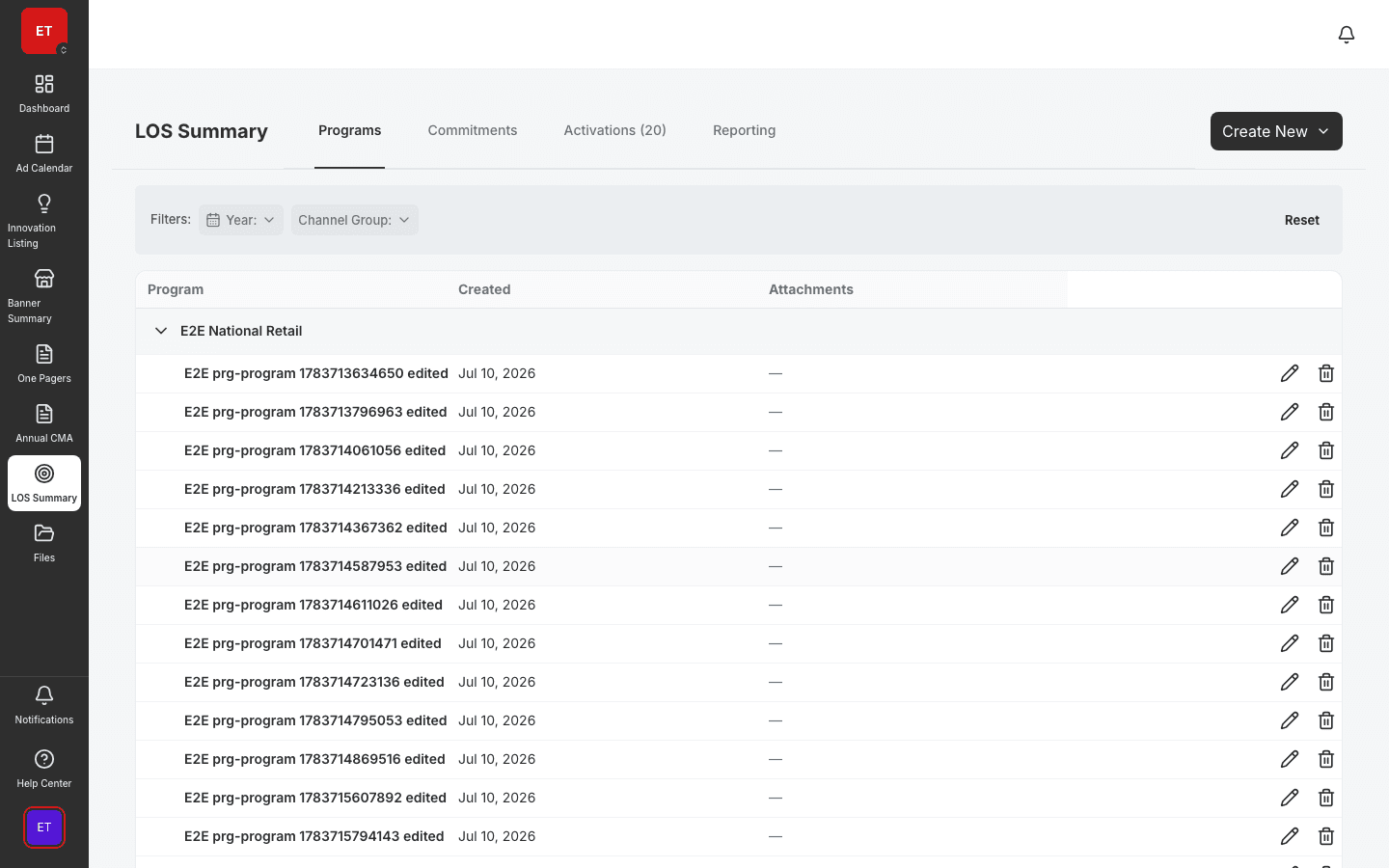
Define Look of Success merchandising programs by banner.
POS matrices, program rollups, and LOS compliance reporting.
Book a demo for TPO pilot modules, or join the waitlist for early access to the full execution platform.
Explore all platform features